The CRT Warping Effect in CapCut is a creative video editing technique that recreates the appearance of classic CRT (Cathode Ray Tube) televisions. By combining curved screen distortion, scan lines, VHS-style noise, chromatic aberration, glitch effects, and subtle flickering, you can transform modern footage into videos that resemble recordings from the 1980s and 1990s. This nostalgic visual style has become increasingly popular across TikTok, Instagram Reels, YouTube Shorts, gaming edits, music videos, and cinematic content because it instantly adds a vintage aesthetic that captures viewers’ attention.
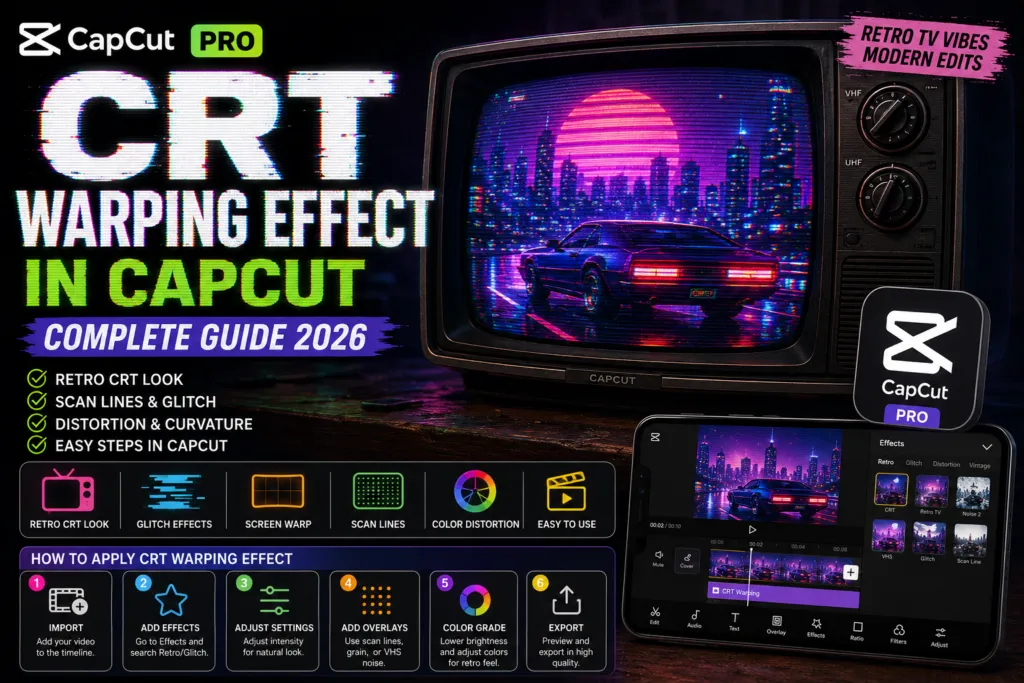
Unlike standard video filters, the CRT Warping Effect creates a more immersive retro experience by simulating the imperfections of old television displays. CapCut makes this effect accessible through built-in editing tools, overlays, animations, and visual effects, allowing both beginners and experienced creators to achieve professional-looking results without advanced editing software. In this complete guide, you’ll learn how the CRT Warping Effect works, how to recreate it step by step in CapCut, and the best techniques for producing authentic retro videos that stand out on social media.
CRT Warping Effect in CapCut: An Overview
The CRT Warping Effect in CapCut recreates the distinctive appearance of vintage Cathode Ray Tube (CRT) televisions that were once common in homes and arcades. Traditional CRT displays produced subtle screen curvature, scan lines, colour bleeding, image distortion, flickering, and soft blur, visual characteristics that have become a popular retro aesthetic in modern video editing. By combining these elements, creators can give digital footage the authentic look of old VHS recordings, classic television broadcasts, or nostalgic gaming displays.
CapCut simplifies this editing style with a range of built-in effects, filters, overlays, and adjustment tools that make it easy to reproduce the CRT look without advanced editing experience. By blending distortion effects, colour grading, noise, and subtle animation, you can create realistic vintage visuals suitable for short-form and long-form content alike.
Why the CRT Warping Effect Is Trending
The CRT Warping Effect in CapCut has become increasingly popular because retro visuals continue to perform well across social media platforms. Audiences are drawn to nostalgic editing styles that evoke classic television, VHS tapes, early video games, and analogue media. This distinctive look helps videos stand out in crowded feeds while adding personality and cinematic atmosphere.
Content creators frequently use the CRT effect for TikTok videos, Instagram Reels, YouTube Shorts, gaming montages, music videos, anime edits, synthwave content, and cinematic storytelling. When combined with glitch transitions, VHS overlays, film grain, and retro colour grading, the CRT Warping Effect creates an eye-catching visual style that encourages higher viewer engagement and gives videos a unique vintage identity.
How to Add the CRT Warping Effect in CapCut
Creating the CRT Warping Effect in CapCut is simple thanks to the app’s built-in editing tools and visual effects. By combining screen distortion, scan lines, glitch effects, film grain, and colour adjustments, you can recreate the nostalgic appearance of vintage CRT televisions and VHS recordings. Whether you’re editing on Android, iPhone, or PC, CapCut provides the flexibility to build an authentic retro look without requiring advanced editing skills.
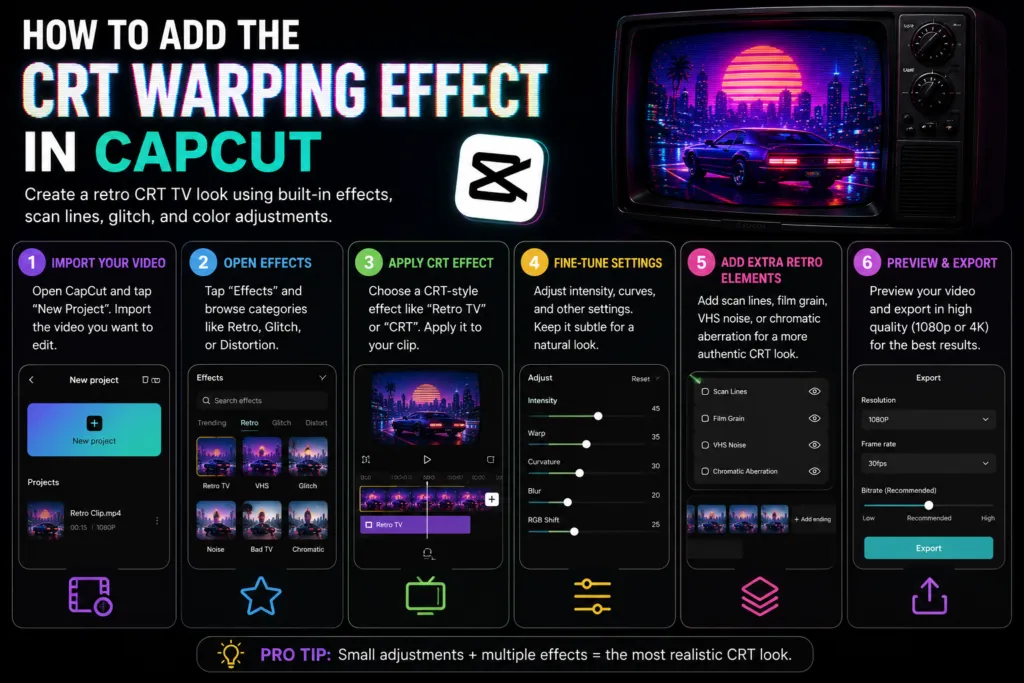
To achieve the best results, start with high-quality footage and apply the CRT effect gradually. Instead of relying on a single filter, combine multiple effects and fine-tune each one to create a more natural and realistic vintage appearance.
Step-by-Step Guide to Create the CRT Warping Effect
Step 1: Import Your Video
Open CapCut and create a new project. Import the video clip you want to transform with the CRT effect.
Step 2: Open the Effects Library
Tap Effects, then browse the Retro, Glitch, Distortion, or Vintage categories. Depending on your CapCut version, available effects may vary.
Step 3: Apply a CRT-Style Effect
Choose an effect that adds subtle screen curvature, distortion, or glitch animation. Apply it to your clip and adjust its duration to match your edit.
Step 4: Fine-Tune the Effect
Reduce or increase the effect intensity until it looks realistic. Overusing distortion can make the video appear unnatural, so small adjustments usually produce the most convincing retro appearance.
Step 5: Add Supporting Retro Elements
Enhance the CRT look by combining the effect with scan line overlays, film grain, VHS noise, chromatic aberration, colour fading, and slight blur. Layering these effects creates a more authentic analogue television aesthetic.
Step 6: Preview and Export
Preview your project several times to ensure the distortion and motion look smooth throughout the video. Once you’re satisfied with the final result, export your project in your preferred resolution, including 1080p or 4K on supported devices.
Using multiple subtle adjustments instead of one strong effect produces a more realistic CRT appearance and helps your videos stand out on TikTok, Instagram Reels, YouTube Shorts, gaming edits, music videos, and other creative projects.
Tips for Creating a Realistic CRT Warping Effect in CapCut
Applying the CRT Warping Effect is only the first step. The most convincing retro videos combine multiple visual elements that replicate the look of classic CRT televisions, VHS tapes, and analogue broadcasts. Instead of using maximum effect intensity, focus on subtle adjustments that create a natural vintage appearance while keeping your footage clear and engaging.
For the best results:
- Apply the CRT effect to short clips for a stronger visual impact.
- Slightly reduce brightness and increase contrast to mimic older television displays.
- Add film grain, scan lines, and VHS noise to create authentic analogue texture.
- Use chromatic aberration and minor screen distortion sparingly for a realistic CRT look.
- Avoid stacking too many effects, as excessive distortion can distract viewers from your content.
A balanced combination of these adjustments produces a cinematic retro style that works exceptionally well for TikTok, Instagram Reels, YouTube Shorts, gaming edits, music videos, and nostalgic storytelling.
Advanced CRT Effect Customisation
If you want greater creative control, combine the CRT effect with CapCut’s advanced editing tools. Layering multiple visual effects creates a richer and more authentic vintage aesthetic than relying on a single preset.
Try combining:
- VHS overlays
- Film grain
- RGB colour separation
- Screen flicker
- Glitch transitions
- Noise effects
- Retro colour grading
- Blur and sharpening adjustments
- Vignette effects
Experimenting with these elements allows you to create unique retro styles that match your content while maintaining a polished, professional finish.
Performance and Export Quality
The CRT Warping Effect is lightweight enough to run smoothly on most modern devices, including Android phones, iPhones, Windows PCs, and Mac computers. Export speed depends primarily on your device’s processor, RAM, project length, and export resolution rather than the CRT effect itself.
For the highest quality results:
- Export in 1080p for social media content.
- Choose 4K when editing high-resolution footage on supported devices.
- Use 30 FPS or 60 FPS depending on your original recording.
- Select the highest available bitrate to preserve image quality.
These settings help maintain crisp details while preserving the subtle distortion that makes the CRT effect look authentic.
Supported Platforms
The CRT Warping Effect is available across CapCut’s supported platforms, giving creators the flexibility to edit wherever they prefer.
You can create CRT-style videos on:
- CapCut for Android
- CapCut for iPhone and iPad
- CapCut for Windows PC
- CapCut for Mac
While the editing workflow remains similar across devices, desktop versions generally provide a larger workspace, faster rendering, and more precise control for fine-tuning retro effects.
Free vs Premium CRT Effects
CapCut includes several retro filters and distortion effects in its free version, making it easy for beginners to experiment with the CRT aesthetic. Depending on your version and region, additional premium effects, templates, creative assets, and editing tools may also be available through CapCut’s subscription options.
If you edit videos regularly, premium features can provide:
- A larger collection of retro effects
- Additional cinematic filters
- Advanced editing tools
- More creative templates
- Watermark-free exports where applicable
- Faster editing workflow
For occasional creators, the free version still offers enough functionality to produce impressive CRT-style videos.
Is CapCut Worth Using for CRT Effects?
Yes. CapCut is one of the easiest video editors for creating convincing CRT Warping Effects without requiring professional editing software. Its intuitive interface, built-in retro effects, timeline editing, and colour adjustment tools allow both beginners and experienced editors to recreate nostalgic television visuals quickly and efficiently.
Whether you’re producing gaming montages, synthwave edits, music videos, cinematic trailers, or vintage-inspired social media content, CapCut provides an excellent balance between simplicity and creative flexibility.
Pros and Cons of the CRT Warping Effect
Advantages
- Easy to apply with beginner-friendly controls.
- Creates an authentic vintage television aesthetic.
- Works well for gaming videos, music edits, and cinematic content.
- Compatible with Android, iPhone, Windows, and Mac.
- Can be combined with other retro effects for unique creative styles.
- Exports in high resolution, including 4K on supported devices.
Limitations
- Excessive distortion can reduce video clarity.
- Strong effects may not suit every type of content.
- Achieving realistic results often requires combining multiple visual effects.
- Performance on older devices may vary depending on project complexity.
Frequently Asked Questions
What is the CRT Warping Effect in CapCut?
The CRT Warping Effect recreates the appearance of vintage cathode ray tube televisions by adding screen curvature, scan lines, colour distortion, and retro visual effects to your videos.
Is the CRT Warping Effect available in the free version of CapCut?
Yes. CapCut includes several retro and distortion effects in its free version, while some additional creative effects and assets may require a premium subscription.
Which videos look best with the CRT Warping Effect?
This effect works particularly well for gaming videos, music videos, TikTok edits, Instagram Reels, YouTube Shorts, synthwave content, cinematic trailers, and nostalgic storytelling.
Can I create the CRT Warping Effect on a PC?
Yes. CapCut supports CRT-style editing on Windows and Mac, providing a larger editing workspace and greater precision than mobile devices.
How can I make the CRT effect look more realistic?
Combine the CRT effect with scan lines, film grain, VHS noise, chromatic aberration, subtle blur, and gentle colour grading while avoiding excessive distortion for the most authentic results.
Conclusion
The CRT Warping Effect is one of CapCut’s most effective creative tools for recreating the nostalgic look of classic CRT televisions and VHS recordings. With its easy-to-use editing controls, built-in retro effects, and customisation options, both beginners and experienced creators can achieve authentic vintage visuals without complicated software.
The best results come from combining subtle distortion with scan lines, film grain, colour grading, and careful lighting adjustments rather than relying on a single filter. Experiment with different combinations, refine your editing style, and you’ll be able to create unique retro videos that stand out across TikTok, Instagram Reels, YouTube Shorts, and other digital platforms.